
Find your setting.
Browse focused categories or use Elite’s tweak search.
Quantix for Windows
Your PC should work the way you want it to. Bring your Windows settings, cleanup and gaming controls together with Quantix.
Pro from €14.99 · One payment. Yours to keep.
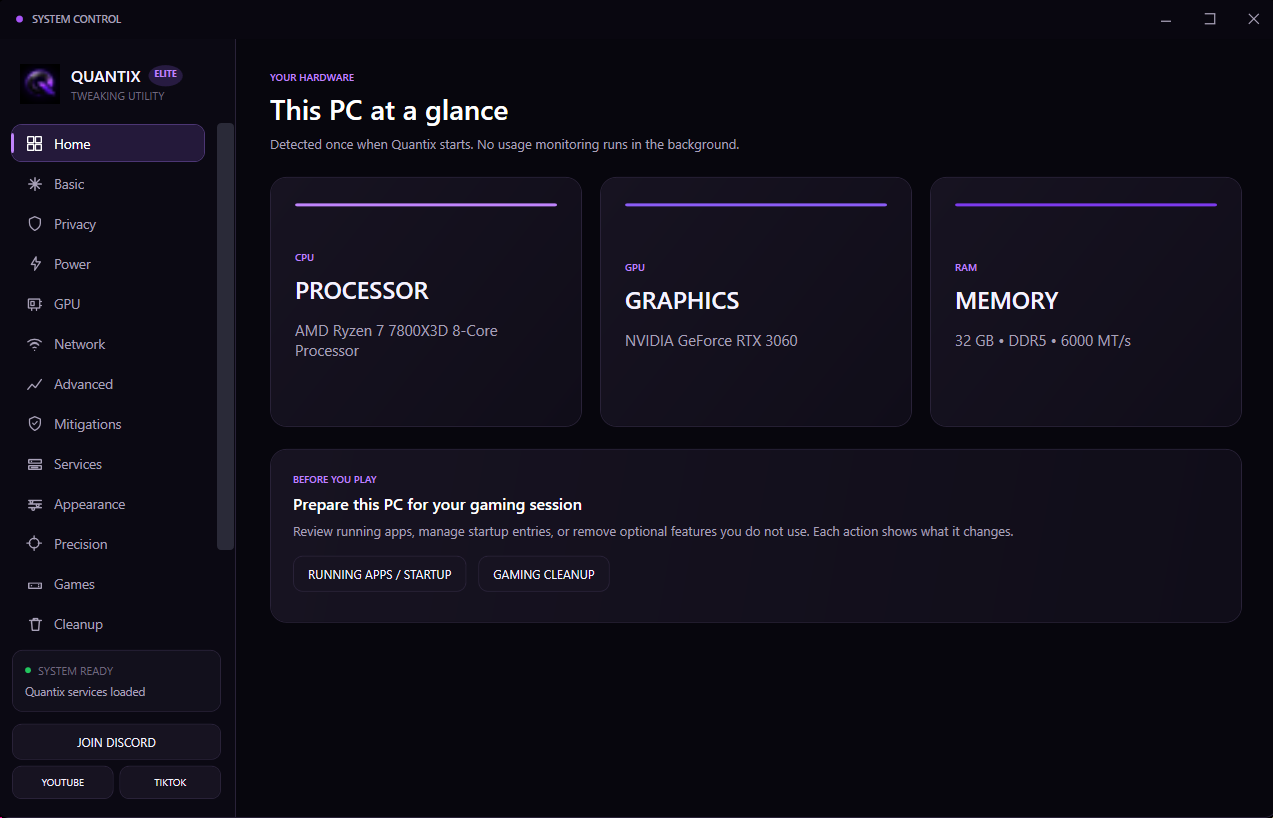
Real screens. Clear categories. Explore Quantix Elite before you choose your package.
Compare every featureScreenshots from Quantix Elite. Shown hardware and settings are examples.
Browse focused categories or use Elite’s tweak search.
Read the effect and risk label before applying a tweak.
Check current status and restore supported changes.
Considered controls for the PC you already own. Explore what matters to your setup.
Power, graphics and Windows settings, together. Read the effect of each tweak and decide what belongs in your setup.
Explore the controls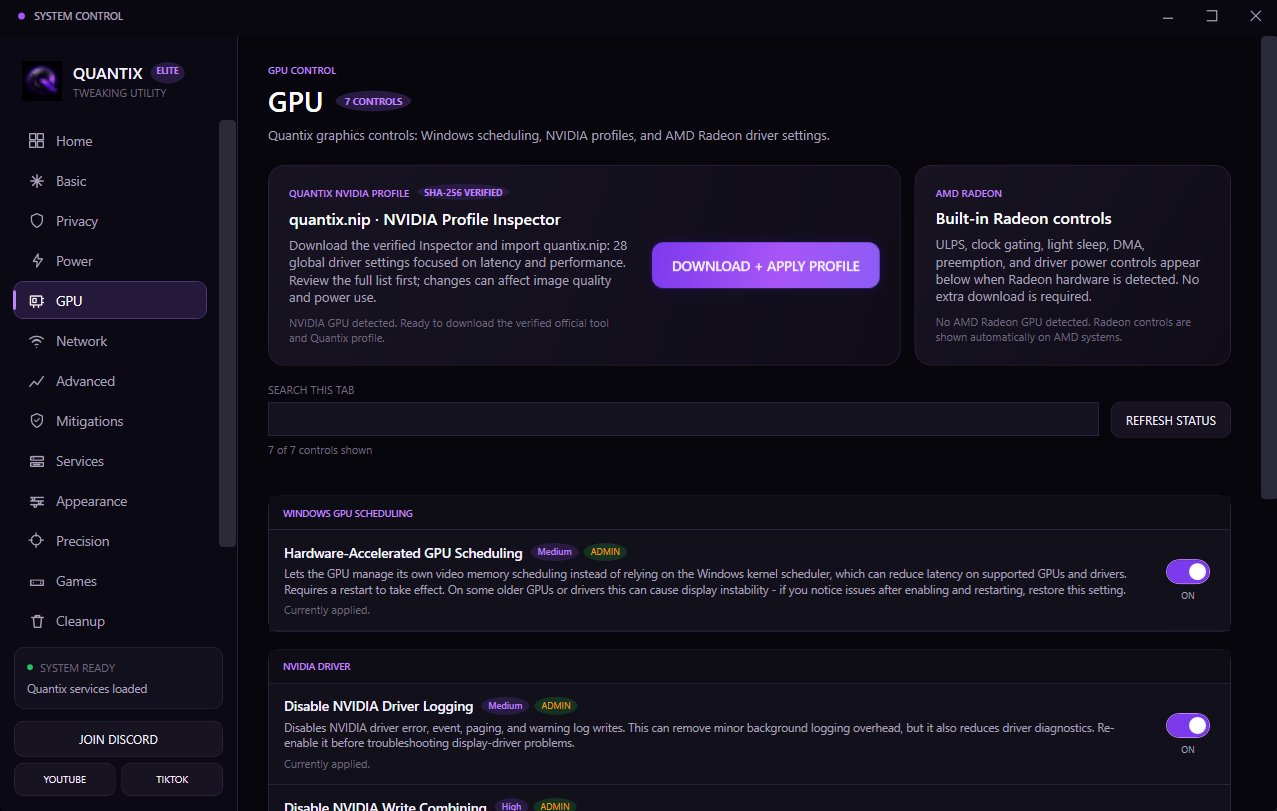
Review startup entries, background capture and selected running apps. Choose what stays in your session.
Supported tweaks save restore values. Optional service changes have a separate restore action.
Supported network controls, explained in plain language. Your hardware. Your decisions.
Start with the essentials or unlock deeper control. One PC per license. One-time payment for Pro and Elite.

Quantix Free
A simple starting point for a cleaner Windows setup.
Quantix Pro
The full utility for gaming-focused system tuning.
Quantix Elite
Complete editionDeeper control, gaming cleanup and tools for your whole setup.
Quantix Custom OS
Something new for your setup. More details coming soon.
Not available to purchase yet.
| Included features | Free€0 | Pro€14.99 | Elite€29.99 |
|---|---|---|---|
| Essential Windows cleanup | Included | Included | Included |
| Startup recommendations | Included | Included | Included |
| Basic network checklist | Included | Included | Included |
| Advanced performance profiles | — | Included | Included |
| Input and network optimization | — | Included | Included |
| Backup and restore tools | — | Included | Included |
| Early feature access | — | — | Included |
| Advanced profiles | — | — | Included |
| Priority support | — | — | Included |
| Precision Tweaks | — | — | Included |
| BIOS setup guidance | — | — | Included |
| Optional app and service cleanup | — | — | Included |
| Running-app review | — | — | Included |
| Tweak search and status refresh | — | — | Included |
A few considered changes. Then test your own results.
Start free, choose Pro for deeper tuning, or explore everything in Elite.
Install the utility and activate your Pro or Elite license on your PC.
Read the descriptions, choose your changes, and restart when prompted.
Test the same game and settings. Keep the changes that work for your setup.
Customer-submitted feedback, reviewed before publication. Individual results depend on the PC and configuration.
“bought pro, got 100 more fps. recommending it!”
“Gave me so much more FPS, lowered my delay by so much and it lowered my ping too. Definetly recommend the Elite Version. This might be the best Tweaks you could ever get!”
“bought best tweaks from @quantixfnr for just 29.99€ and it was absolute worth it my fps increased from 500 to 900 and my ping went from 25 to 10 BIG VOUCH to @quantixfnr”
“Best Tweaks, gave me 0 delay and I got 100 fps more. Finally can hit clips! Recommend Elite”
“My FPS improved significantly, and especially in the endgame I still have a 240 FPS cap. Big thumbs up!”
“My FPS went from 300–400 up to 800 and my ping dropped from 32 to 17, so I highly recommend it.”
Meine FPS sind von 300–400 auf 800 gestiegen und mein Ping ist von 32 auf 17 gesunken, also eine absolute Empfehlung.
Still have a question? Talk to us on Discord
No. Results depend on your hardware, drivers, games and current setup. Quantix focuses on supported configuration changes and never promises a number before testing your PC.
Quantix explains changes before they are applied and includes restore or backup paths where technically possible. It does not inject into games.
Supported tweaks keep restore values. Elite’s optional service cleanup has its own Restore Services action. Removing an app can delete local app data; reinstalling the app does not restore that data.
Quantix is designed for 64-bit Windows 10 and Windows 11 systems.
Pro and Elite keys are bound to one PC’s hardware identity. Another PC requires its own license. Contact Quantix support after a Windows reset or hardware change if your key no longer matches.
The utility remembers your saved key. Click Verify when you open the app to validate it for that launch.
Only customer-submitted vouches approved by the owner are shown. The site starts empty and never displays invented reviews.
The next chapter of your setup starts with you.